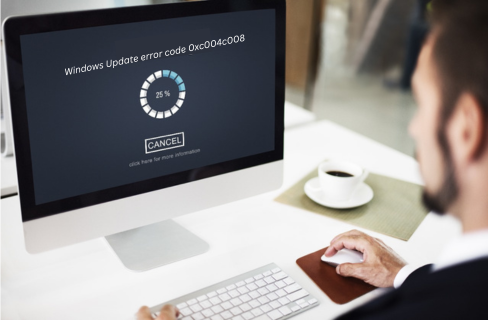
Error codes can be frustrating, especially when they interrupt the smooth functioning of your computer. One such error that Windows users may encounter is 0xc004c008, typically associated with activation issues. In this article, we will delve into the details of this error code and explore potential solutions to help you resolve it.
Invalid Product Key: The most common cause of this error is entering an incorrect or invalid product key during the activation process.
Multiple Activations: If you are trying to activate a single license on multiple devices simultaneously, you may encounter this error. Windows licenses are typically tied to one device, and attempting to use the same key on multiple devices can cause the error.
Network Issues: Connectivity problems, such as unstable internet connections or firewalls blocking the activation server, can also lead to error 0xc004c008.
Expired or Blocked Key: If the product key you are using has expired or has been blocked by Microsoft, activation will fail with this error.
Error code 0xC004C008 typically indicates a Windows activation issue caused by exceeding activation limits or using an invalid product key a problem with Windows activation, often related to issues with the product key. To resolve this, you can try the following steps:
Ensure that you are entering the correct product key. It’s a good idea to double-check the characters and make sure there are no typos.
If online activation fails, you can activate Windows by phone. Follow the on-screen instructions during the activation process to get the phone activation option. This may involve speaking to a Microsoft representative who can assist you in activating your copy of Windows.
Verify that your computer has a stable internet connection. Disable any firewalls or security software temporarily and attempt activation again.
If the current key is blocked or expired, try using a different valid product key. Ensure it is not being used on multiple devices simultaneously.
Error code 0xc004c008 occurs when a Windows product key is used on more devices than allowed or exceeds activation limits.
This error appears due to an invalid or expired product key, multiple activation attempts, or network connectivity issues.
You can fix it by verifying your product key, activating Windows via phone, ensuring a stable internet connection, or using a valid unused license.
No, most Windows licenses are valid for one device only. Using the same key on multiple systems can trigger activation errors.
Yes, a stable internet connection is required. Network issues or firewall restrictions can block activation.
Error code 0xc004c008 can be a hindrance to seamless Windows activation, but by following the outlined solutions, you should be able to resolve the issue. Remember to use a valid product key, ensure network connectivity, and don’t hesitate to seek assistance from Microsoft support if needed
At last, if you are still not able to resolve this issue. We recommend you to Chat with our experts. I am sure they will help you resolve this issue. If you like to see the procedure for paid support, to clarify, you may ask the Tech Available online.
Click here to visit our tech expert to clear your problem Chat with us for more Technical Support.